May 19 2026 – TII Logs Analyzer

Lucas Gallone, renowned FM and DAB enthusiast and creator of the RDS Expert tool for FM webservers, presents a powerful new tool for DAB enthusiasts using the AbracaDABra DAB software : the TII Logs Analyzer.
Key Features:
° Seamlessly upload TII logs generated with the AbracaDABra TII logger or scanner.
° Analyse logs like 2026-02-11_172601_TII.csv and scanner logs such as 2026-03-01_095556.csv.
° Access detailed insights and relevant information to optimize your digital radio setup.
How to Use: Simply visit the TII Logs Analyzer and upload your log files for instant analysis and enhance your troubleshooting and signal monitoring with this tool.
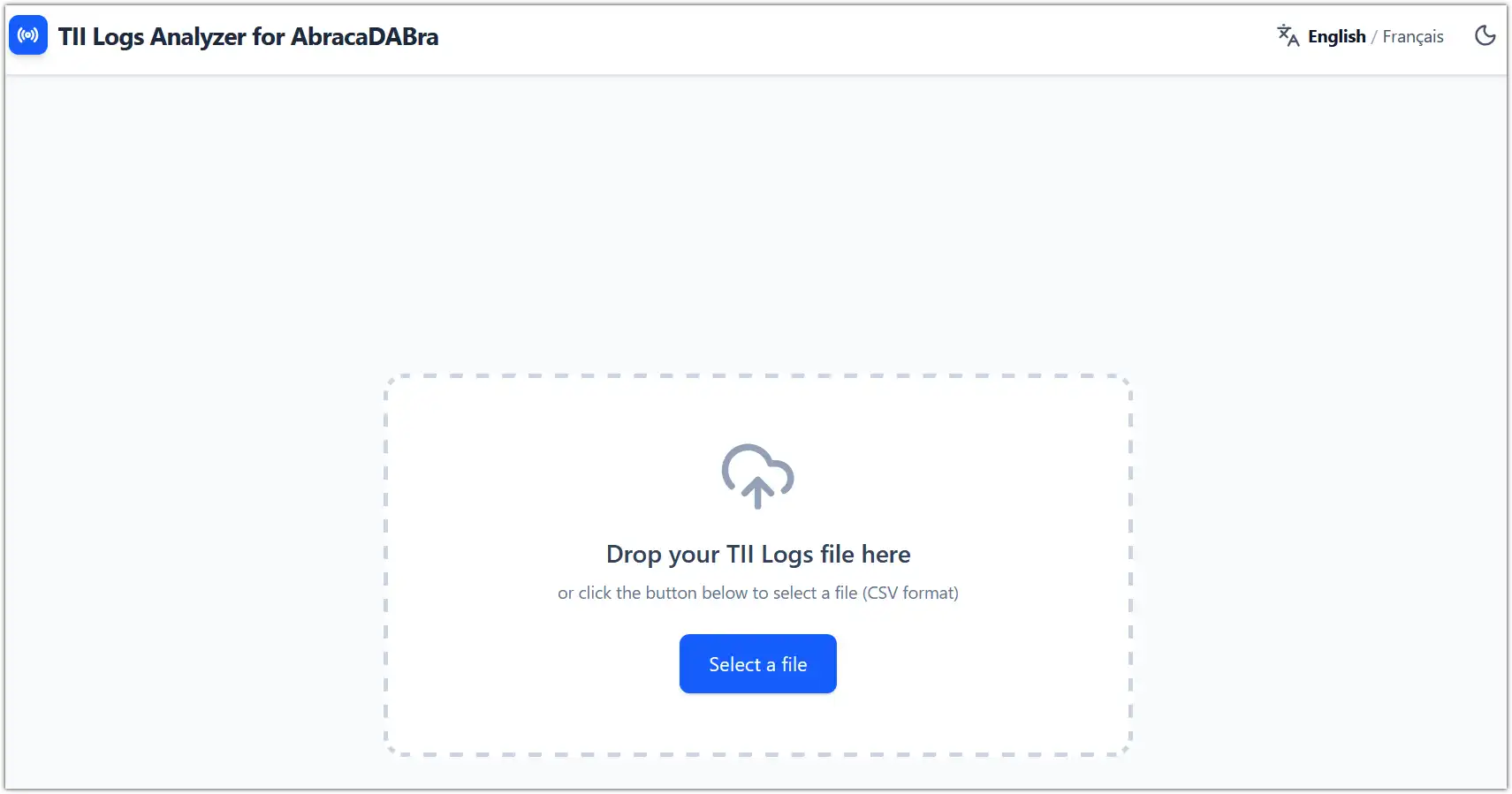
Import file into the TII Logs Analyzer

The analyzer now launches automatically, allowing you to begin your review.
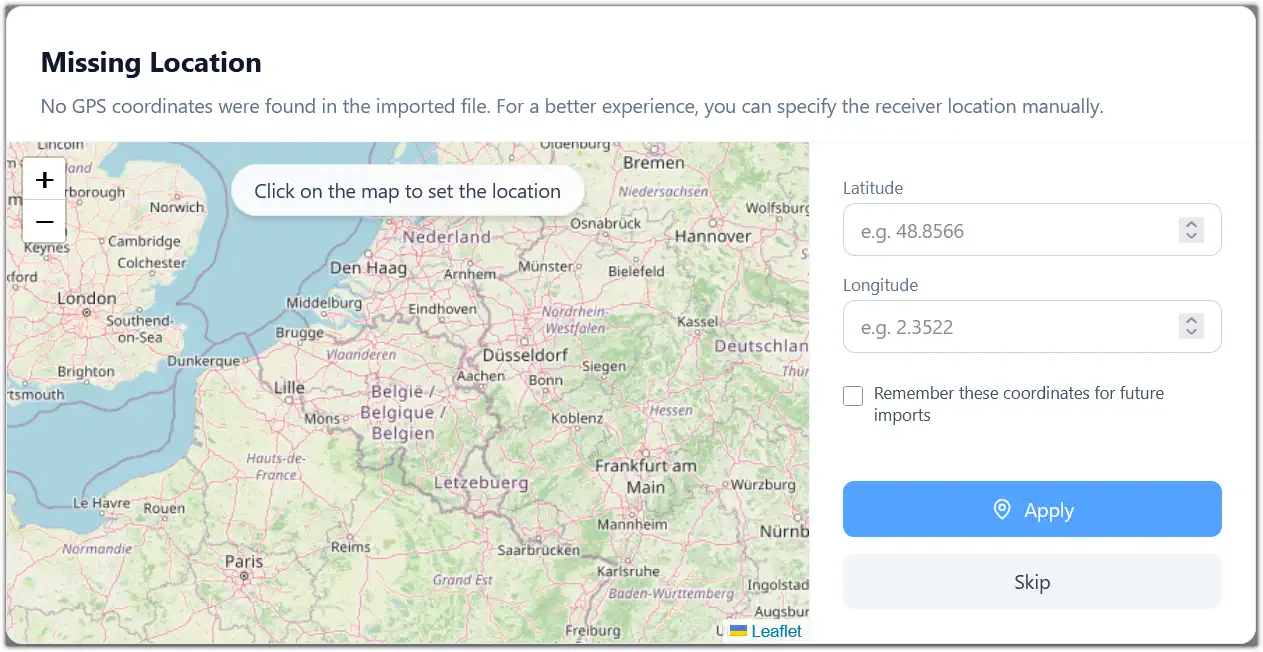
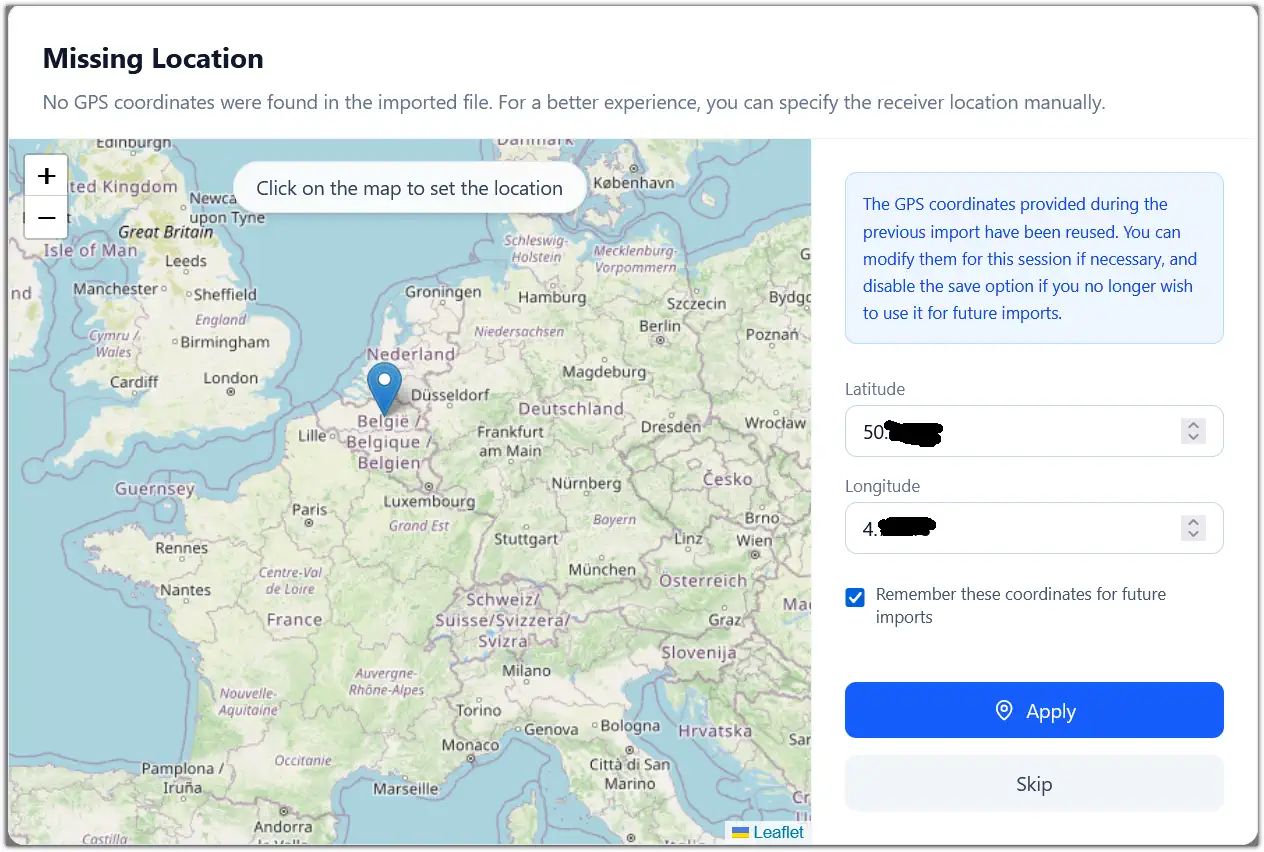
If receiver coordinates are missing from the log file, a pop-up will prompt you to enter them.
The map will now show your location, but not the ones from the received transmitters as these coordinates were not in the original file.
Coordinates input
Coordinates input
Coordinates input
Coordinates input

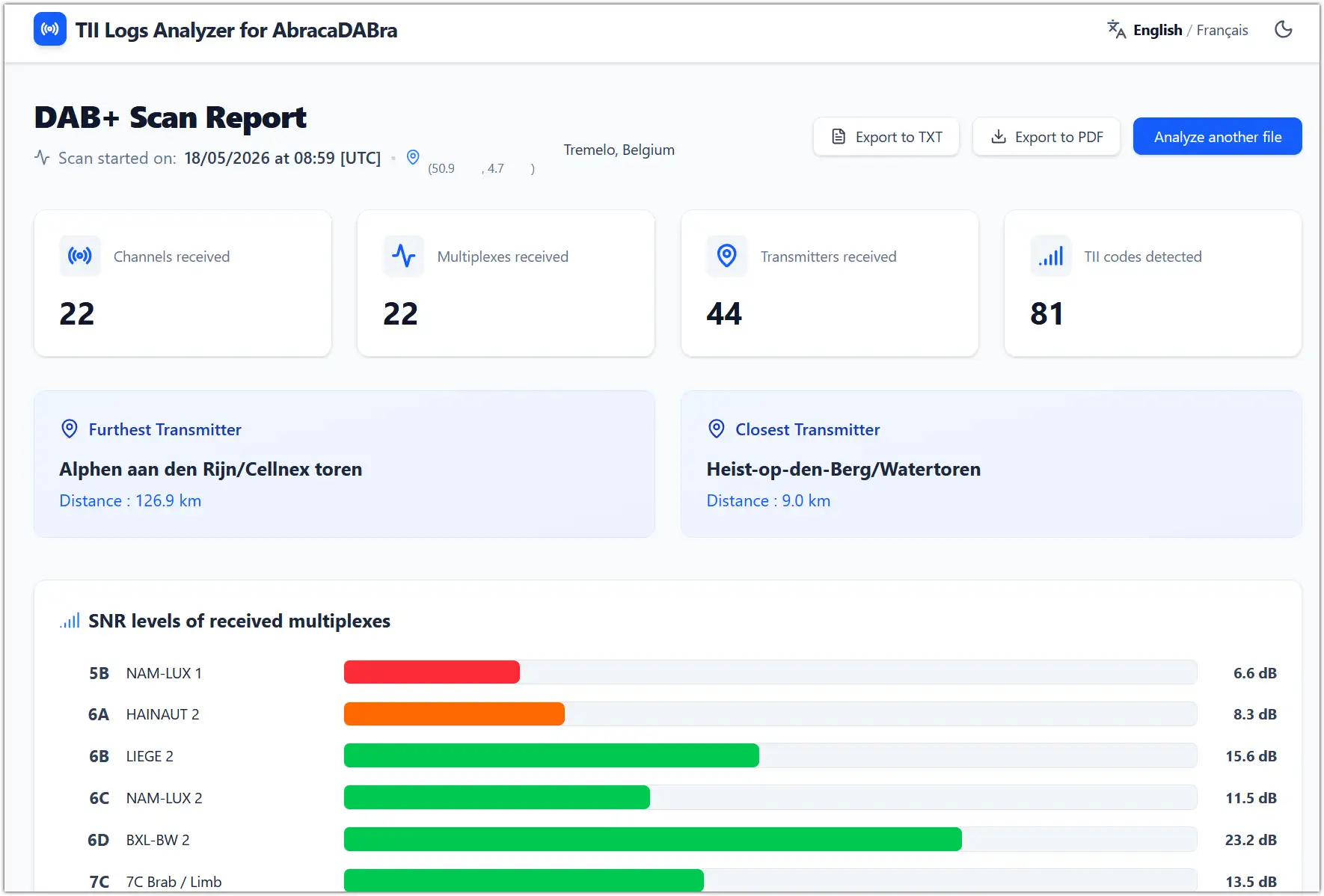
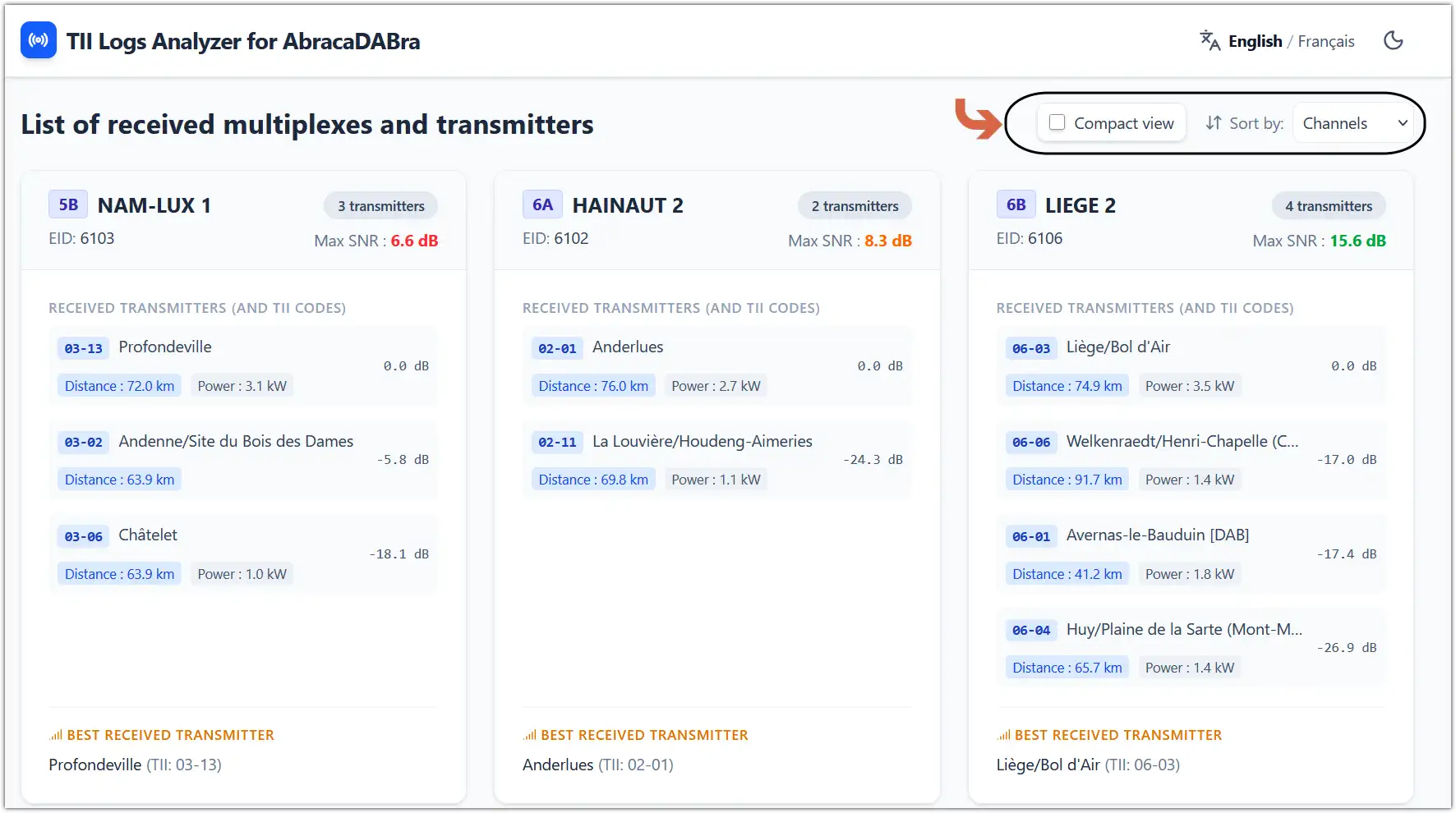
The main screen has an intuitive layout featuring clearly separated sections and a map positioned at the bottom.
Export options available: entire page as a .txt or .pdf file and the map as a high-resolution .jpeg image.
Sections at the top of the TII Log Analyzer
Middle section of the TII Log Analyzer

The map at the bottom enables selective display of multiplexes, allowing users to choose between viewing all or specific ones.
Clicking on a transmitter location reveals an information pop-up, which can be used to activate an elevation profile for detailed analysis.
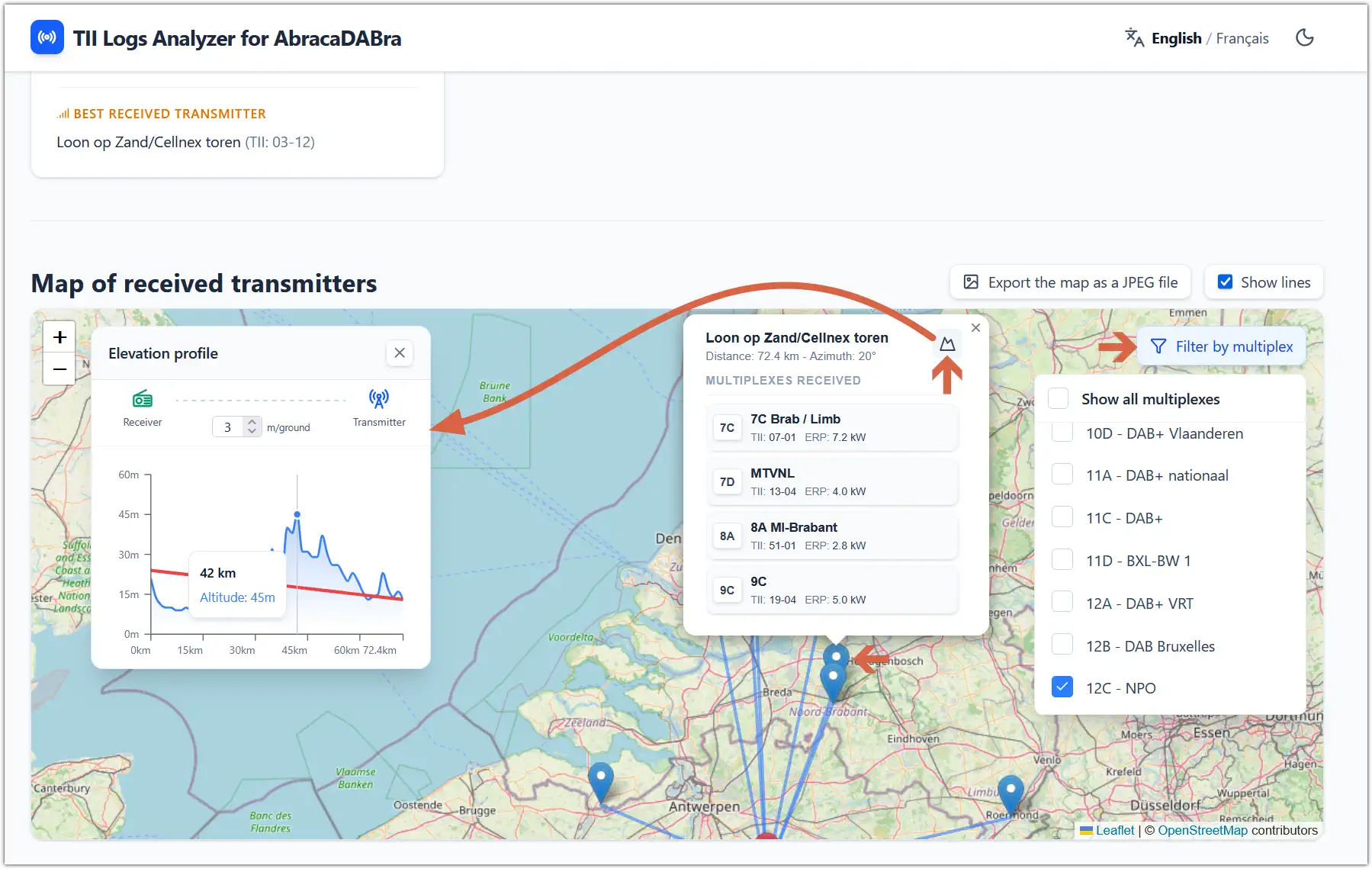
Map section of the TII Log Analyzer

TII Log Analyzer is an invaluable tool for DABDX enthusiasts, particularly those using Petr Kopecký’s AbracaDABra software. It shows promise for integration with other suites like QIRX and Qt-DAB in the future.
Kudos to Lucas Gallone for developing this innovative tool.
Ongoing refinements and enhancements are expected, making it even more indispensable for the community.
May 10 2026 – AbracaDABra 4.1.0 released

Petr Kopecký has just released AbracaDABra 4.1.0.
It can be downloaded here.
Feedback and bug reports are welcomed on his Github issues page.
There are quite a few new features in 4.1.0.

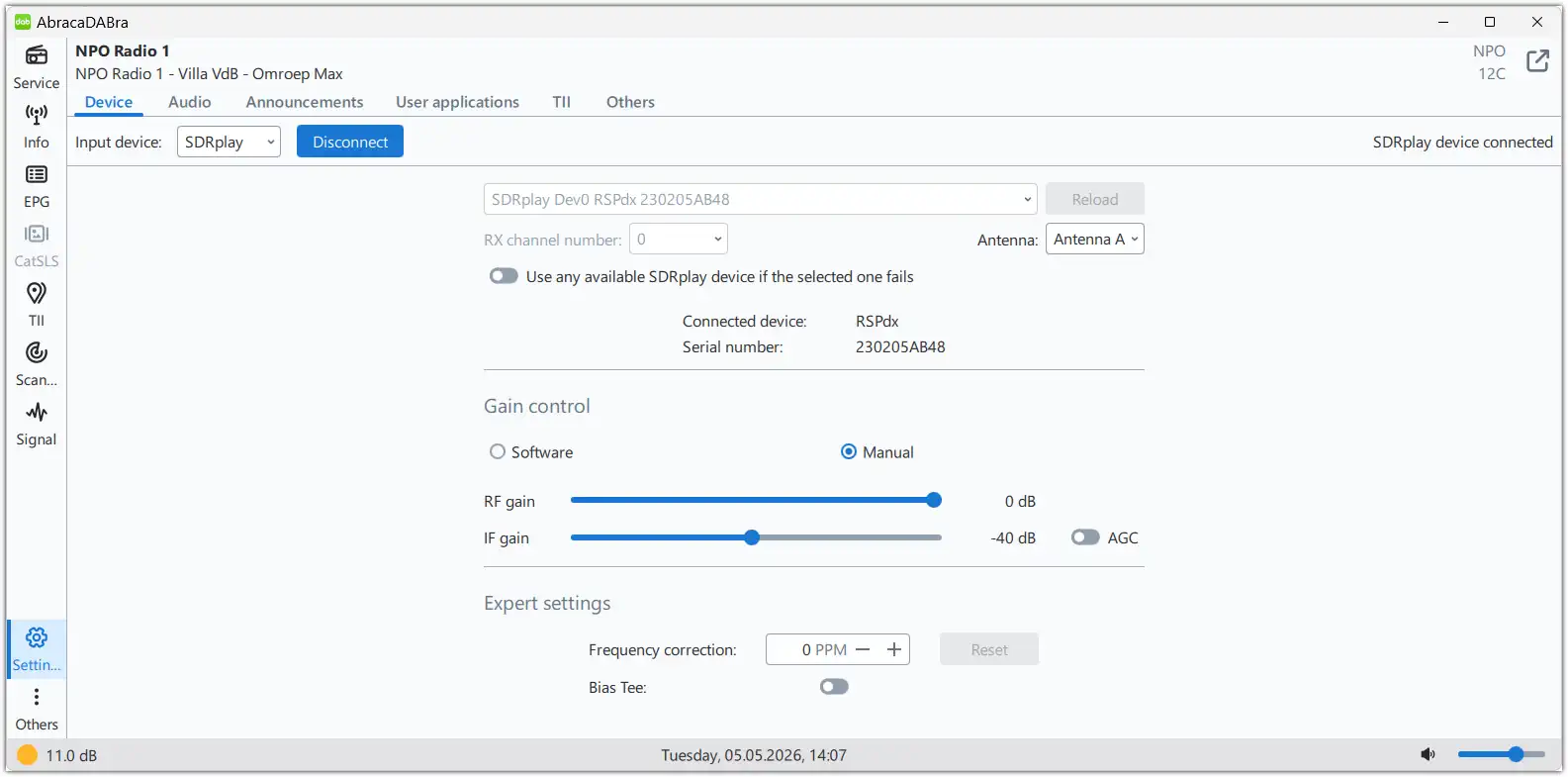
° Using previous versions with RSPdx in manual gain control mode caused an ‘Input device error’. This issue has been resolved.

RDSplay in manual gain control mode

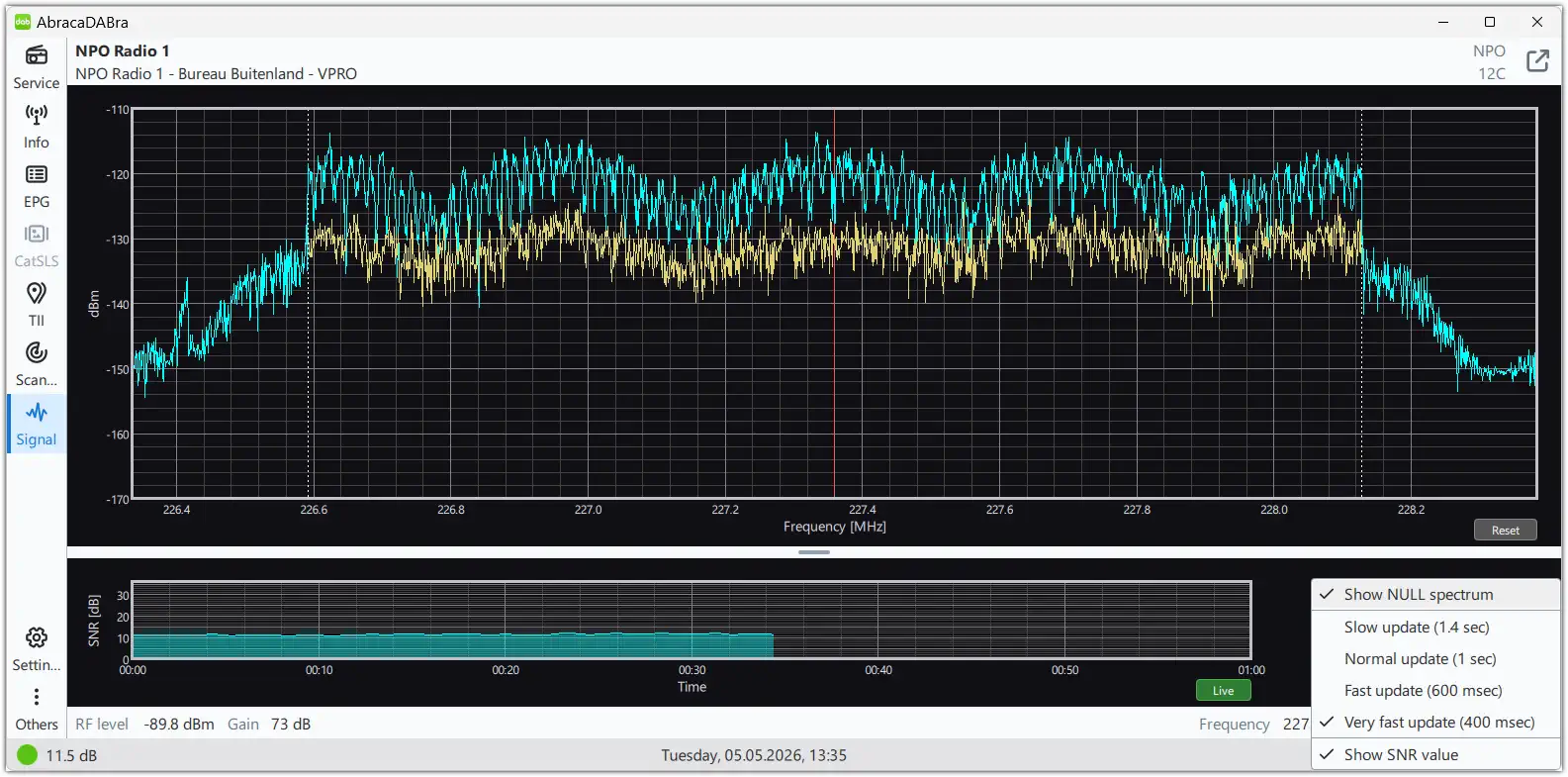
° An optional NULL spectrum view can be enabled in DAB signal view.

NULL spectrum view
NULL spectrum view

° Colour coding of SNR values depend on current audio service protection level.
° An ensemble and its services can be deleted from service tree by dragging the ensemble name to the left (or swipe left on Android). A delete button will appear.

Ensemble delete
Ensemble delete

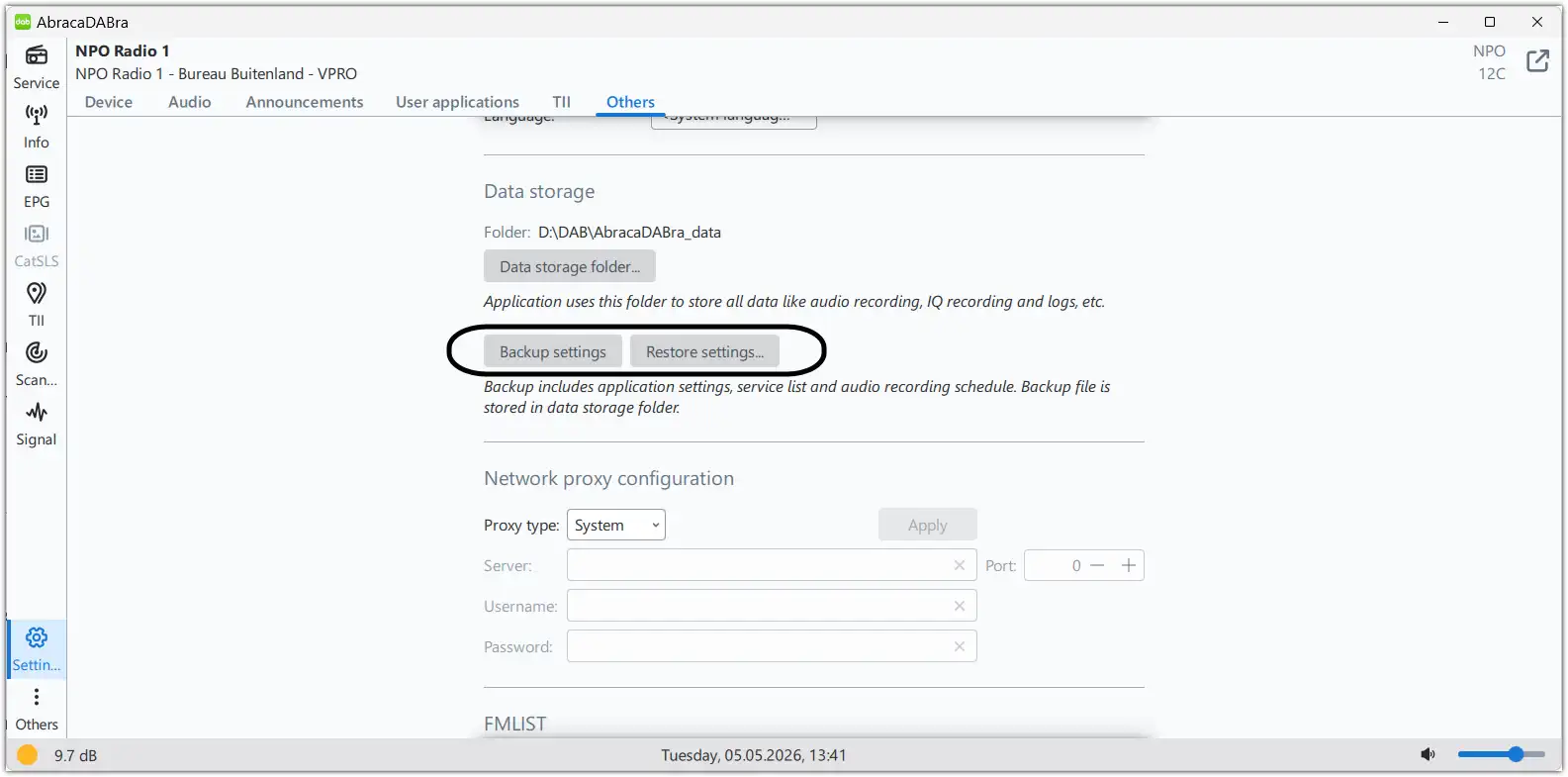
° Users can back-up settings (settings, service list and audio recording schedule) which is especially advised to do on Android devices.

Back-up and restore settings

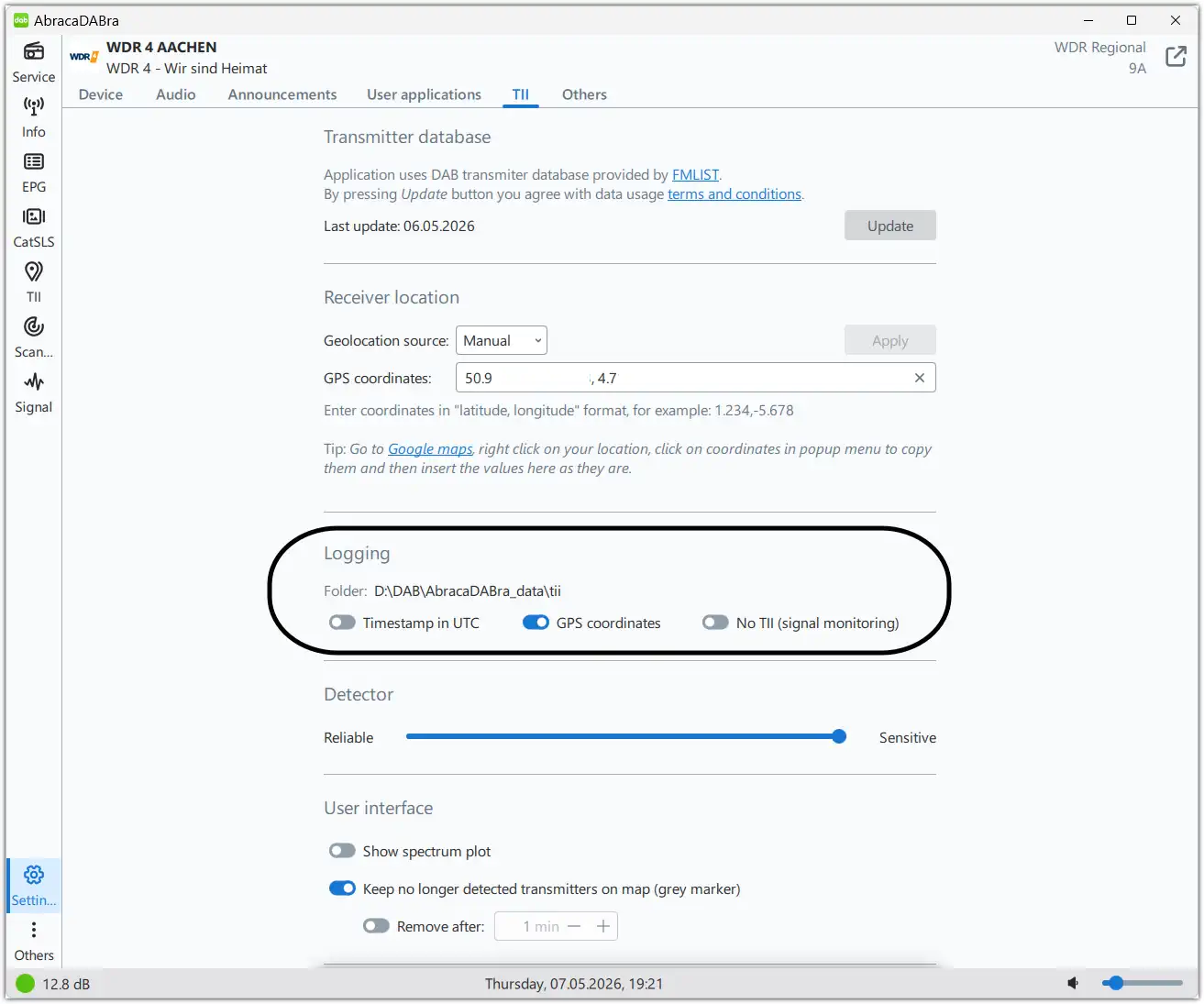
° The DAB scanning tool saves the GPS location when enabled in the settings.
When the CSV is loaded into the application, only the first GPS location is considered.
The scanning tool shows this GPS location as blue dot in the map.

GPS location setting

° The RF level is stored in the DAB scanning tool results table and the exported CSV.
° The frequency offset correction (PPM) is saved per device for RTL-SDR and SDRplay.
Correct functionality requires different RTL-SDR devices ID (to be sure, to set different serial number for each device)!
How to set the frequency offset correction? Click here to find out.
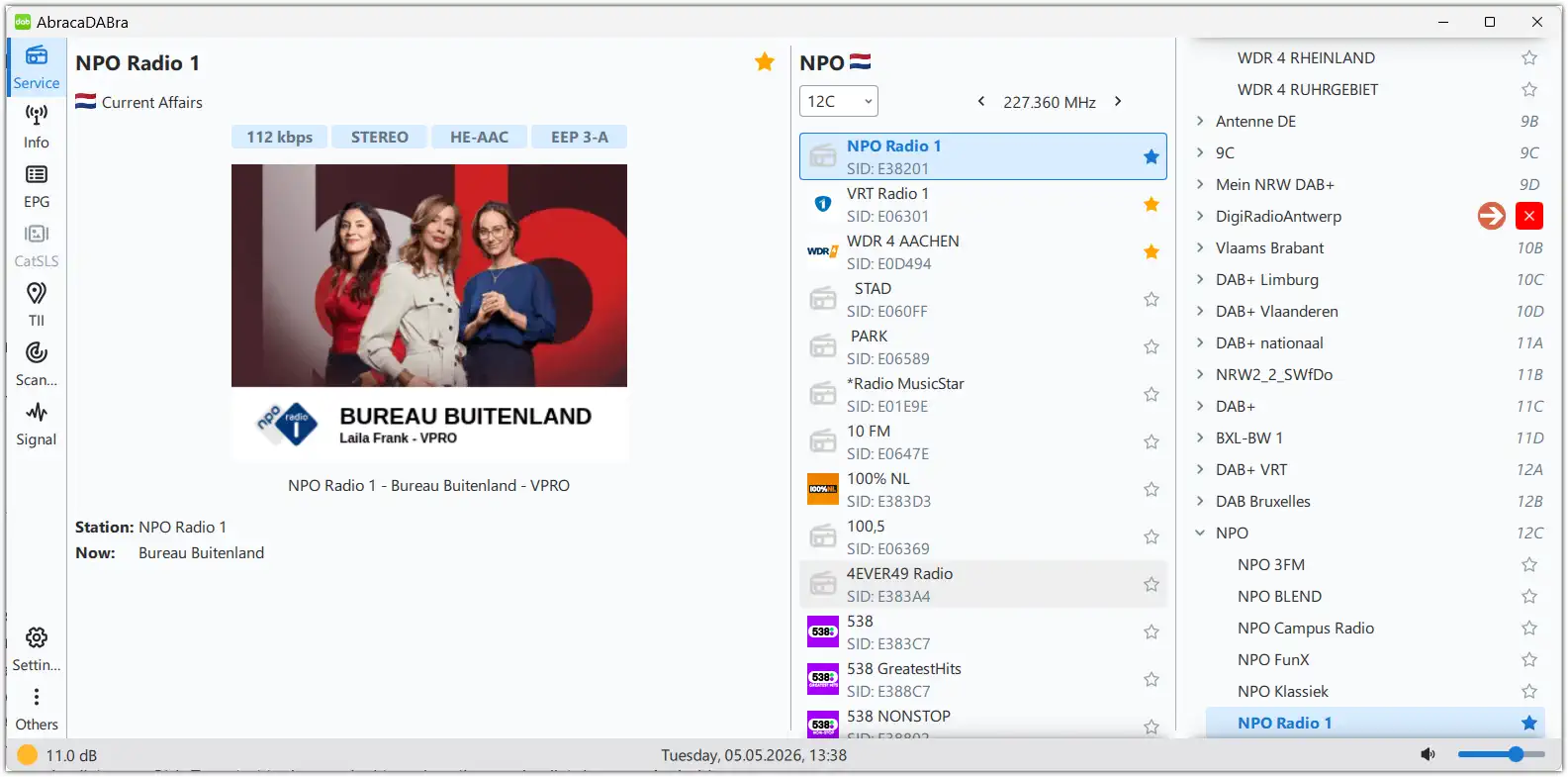
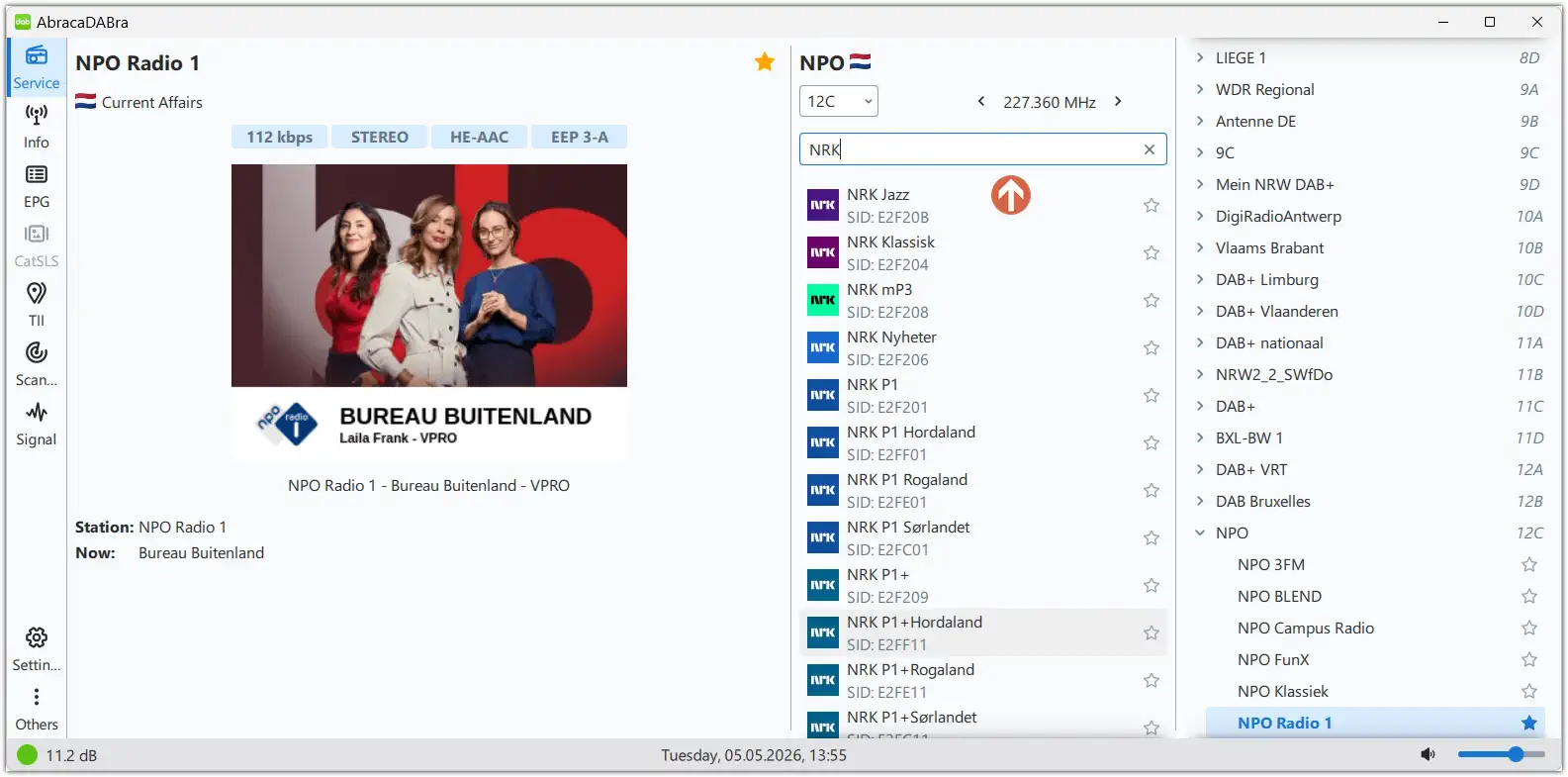
° The services list can be filtered or searched using Ctrl+F. Drag the service list down on Android.

Service list filtering

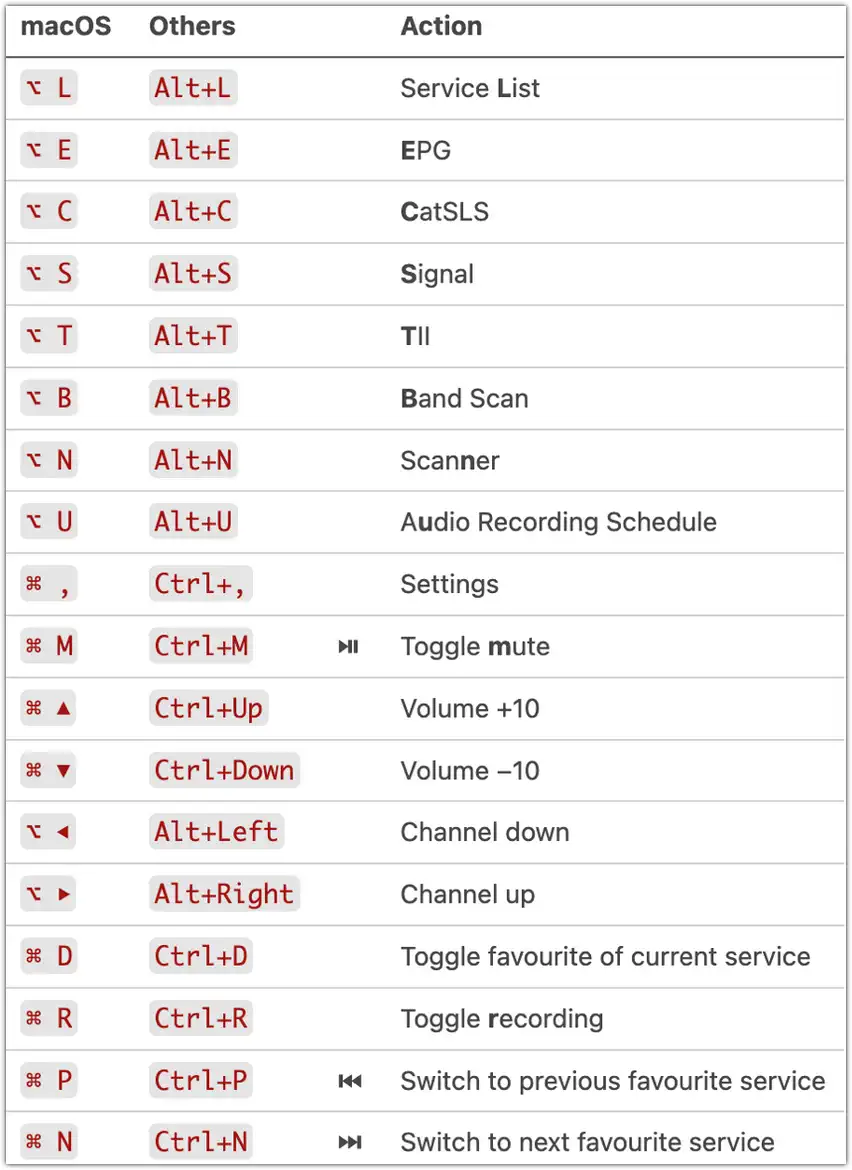
° Keyboard shortcuts added.

Shortcuts
Keyboard shortcuts

° DABSDR 4.0.0 implemented with some bug fixes and (hopefully) more reliable synchronisation.
° New Italian translation.
° Bug fixes and small improvements.

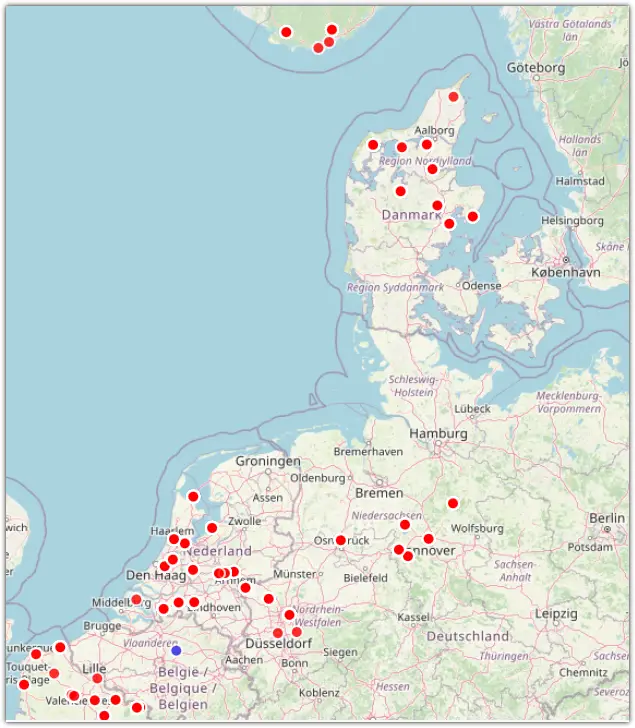
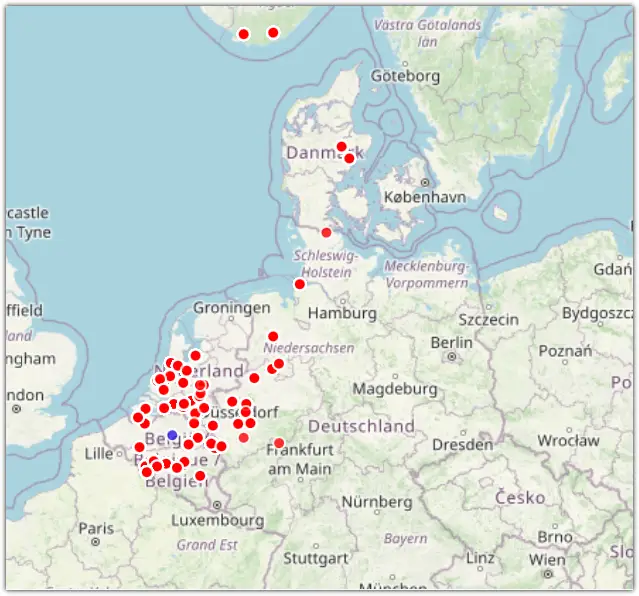
April 26 2025

MHz Block UTC ITU Ensemble + Location Details Remarks km TII
180.06 5D 0717 D Antenne DE, Flensburg/Engelsby (shs) or Osnabrück due to colliding subID? 530km 5703
180.06 5D 0716 D Antenne DE, Minden Porta Westfalica (nrw) 323km 5207
180.06 5D 0716 D Antenne DE, Inselsberg (thü) 403km 5802
190.64 7B 0719 D hr Radio, Rimberg (hes) 333km 0614
190.64 7B 0718 D hr Radio, Würzberg (hes) 343km 0623
190.64 7B 0718 D hr Radio, Kreuzberg (Rhön) (bay) 377km 0620
190.64 7B 0718 D hr Radio, Hoherodskopf (Vogelsberg) (hes) 322km 0602

Map

Open table in new TAB.
Map

April 18 2026 – new ULNA 3018 MK V

My DAB preamp, the TGN Technology ULNA 3018 MK V, called it quits after less than two years—leaving my stacked DAB antennas hanging in the signal dust.
After a long wait I finally got a shiny new ULNA 3018 MK V—slightly upgraded—and braved the weather to swap out the old for the new.
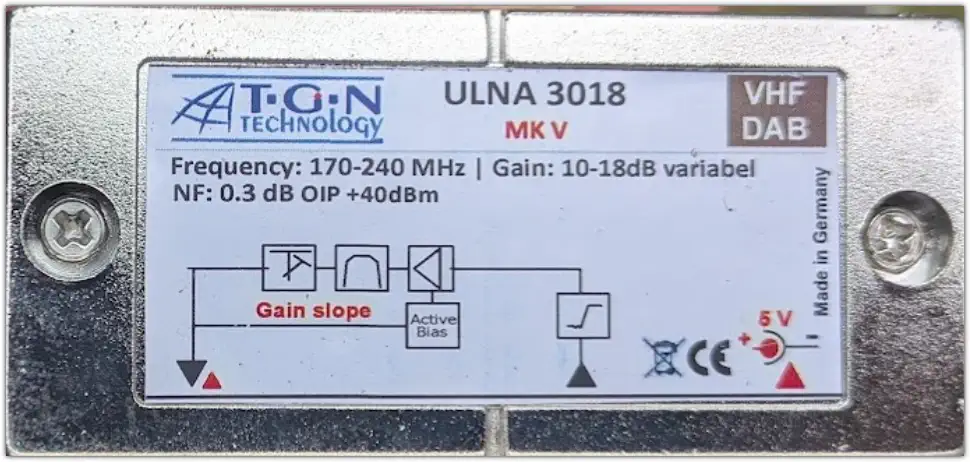
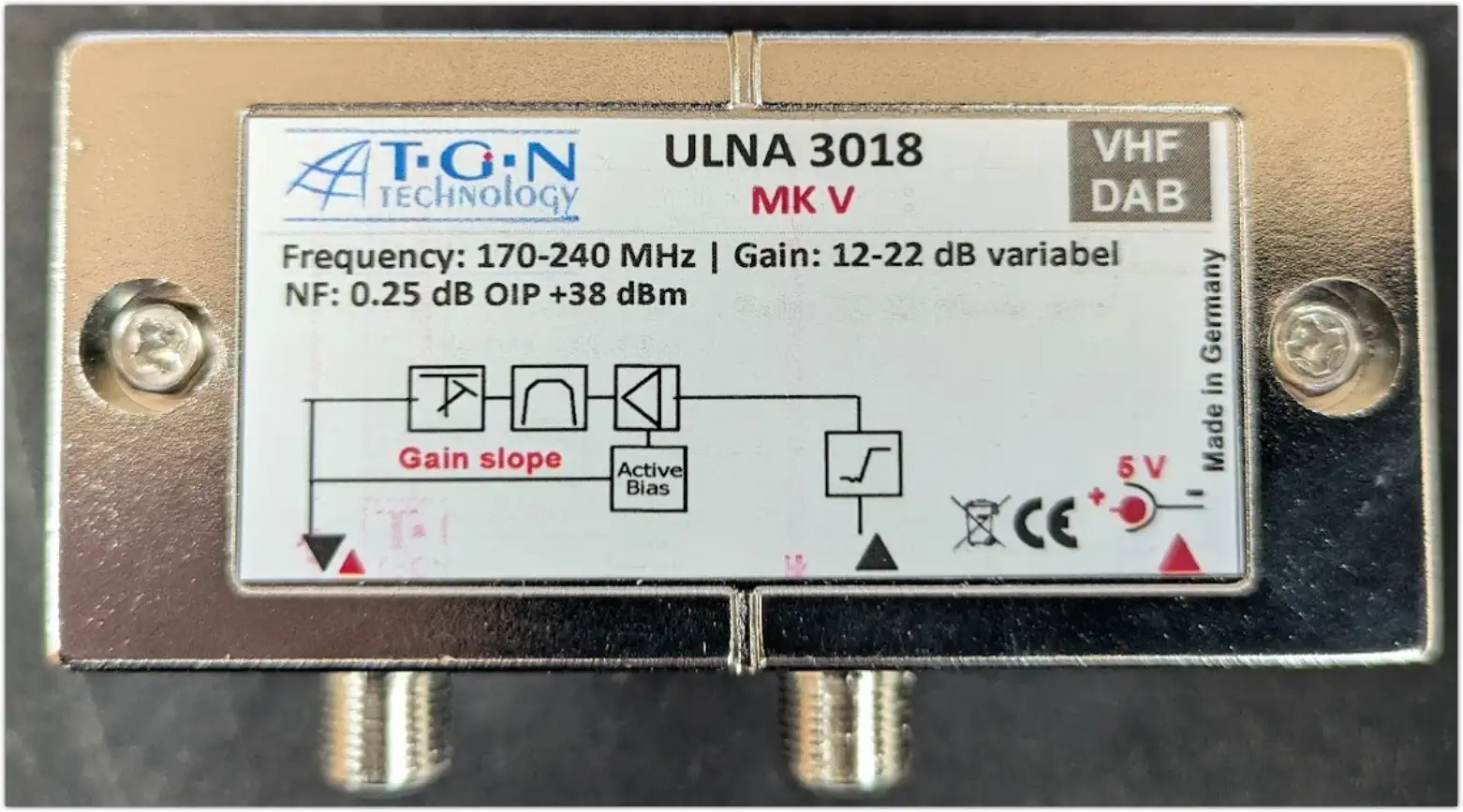
Check out the specs below—gain, NF, and OIP—and see how it stacks up!

Old ULNA 3018 MK V
Old ULNA 3018 MK V
New ULNA 3018 MK V
New ULNA 3018 MK V

The ULNA 3018 MK V is coax fed by a 5 V DC power inserter.
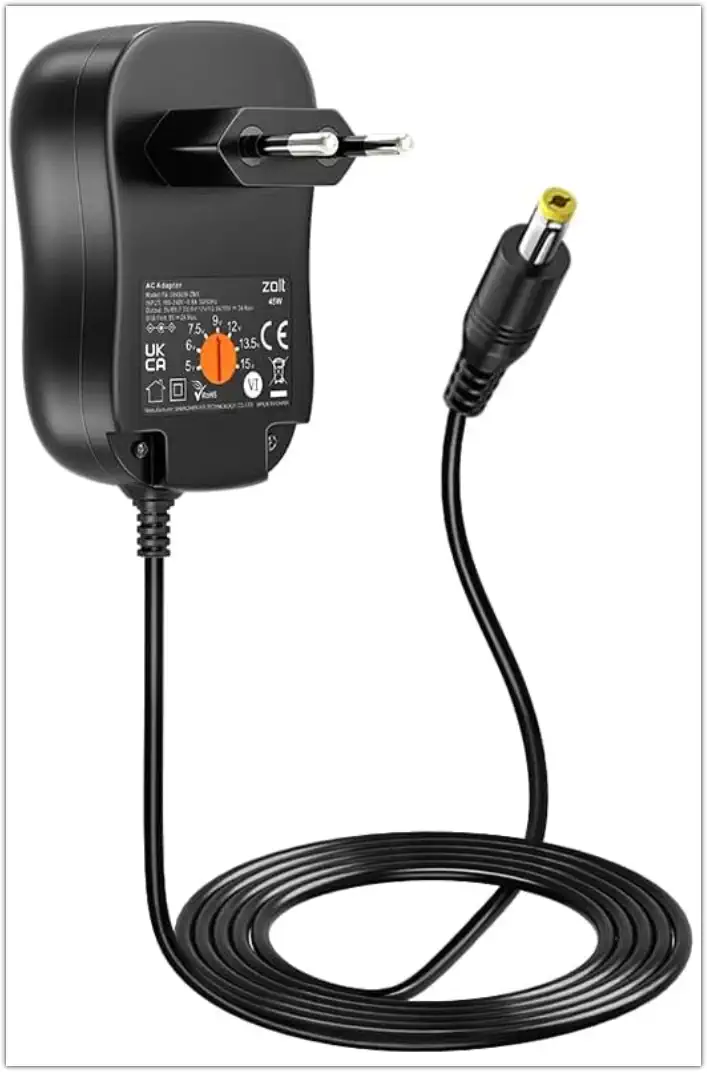
The TGN Technology provided power supply feeding the inserter fits rather wobbly into this power inserter.
So I looked around for a better one and found Zolt 45 W universal net adapter from Amazon.
No longer a dodgy connection.

Zolt 45 W universal net adapter

Just to be sure, I tested the old preamp on ground level with a simple DAB dipole… and surprise, surprise— it didn’t work at all. Looks like it was time for a upgrade—happy signals ahead!