
Qt-DAB-6.10 has been in the works for a few weeks, but a few days ago Jan Van Katwijk released a stable Qt-DAB-6.10 on his Github releases page. Do have a look at the manual on this page.
Comments and feedback are appreciated on Qt-DAB Github issues page.
New with 6.10 is the separate map-viewer. It installs in the same folder as Qt-DAB and the installer is on the same releases page.
What’s this map-viewer.exe all about?
When having the map (http on) ‘record’ (the dots) all received locations, it might be nice to view this map at a later moment in time.
Let’s have a look at the main widget.
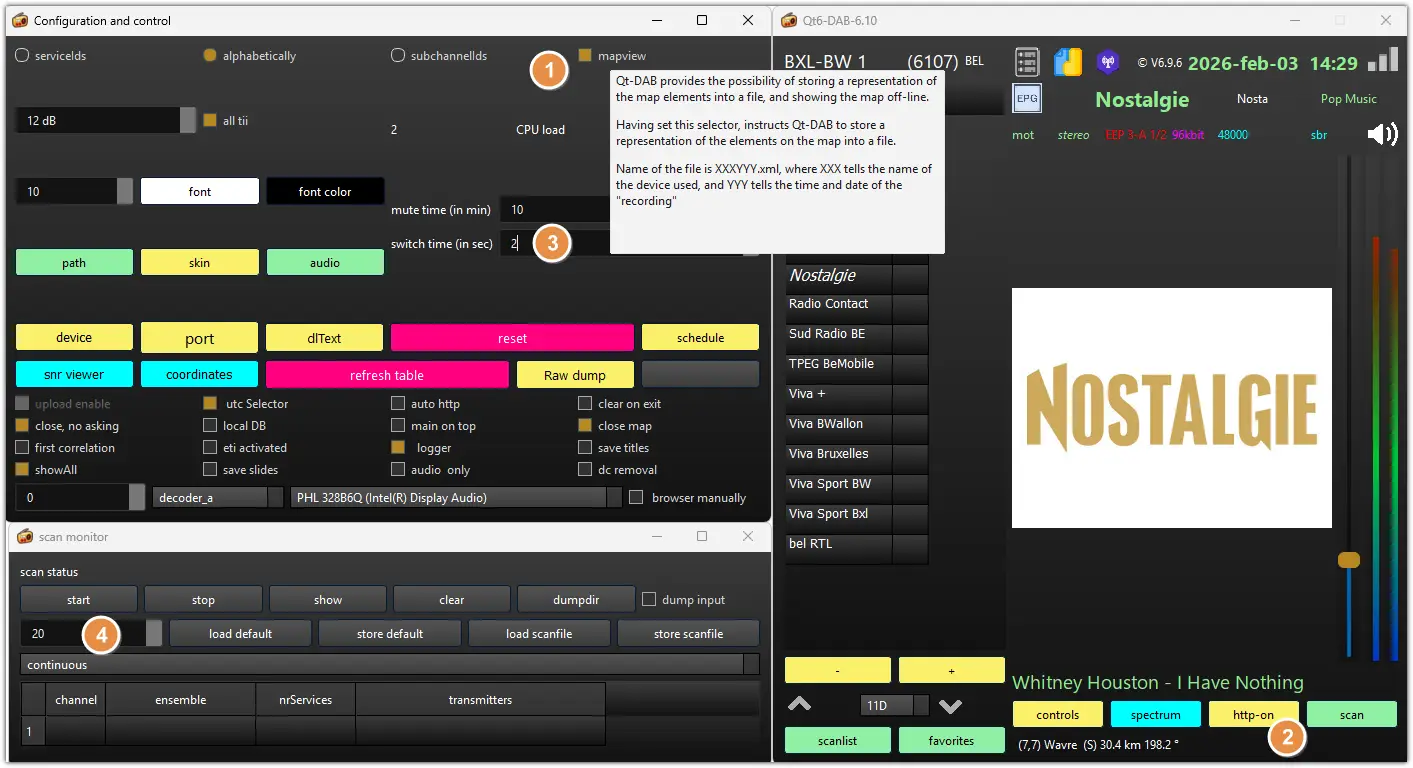
To record what’s on the map (as an .xml file) make sure the mapview is on (1) and do start http (2) before running a scan.
The scanning switch time (3) van be set in the main widget but NEW the duration to scan a mux is set in the scan widget (4).
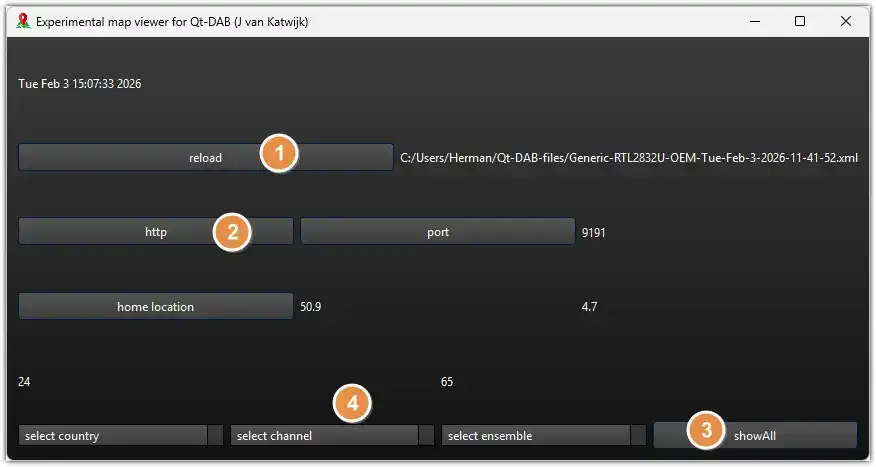
The .xml generated by the map is usually found in C:\Users\***\Qt-DAB-files.
You can load the file using the ‘reload’ button (1).
Don’t forget to check your home location (2). It’s taken from the main widget.
With ‘showAll’ (3) all recorded location are shown on the map, but you can also prefer to show all locations from a certain country, channel or ensemble (4).